Standing Instructions
The Problem You're About to Feel
Remember that AI is stateless: every conversation starts from a blank slate. In practice, this means every time you open your AI coding assistant, you're working with a delegate who:
- Doesn't know what your project does
- Doesn't know your conventions or patterns
- Doesn't know what you've already built
You could re-explain all of this at the start of every conversation. But you're going to have many conversations. There's a better way.
Project Context Files
A project context file is a file in your project that your AI coding assistant reads automatically at the start of every conversation. Think of it as an onboarding document for a new team member, except this team member shows up fresh every single time.
In Your AI Assistant
The file is called AGENTS.md. Open Code reads it automatically when it starts a conversation. Place it in your project's root directory. You can also run /init to generate one from your project.
The file is called CLAUDE.md. Claude Code reads it automatically when it starts a conversation. Place it in your project's root directory.
The file is called ANTIGRAVITY.md. Antigravity CLI reads it automatically when it starts a conversation. Place it in your project's root directory. You can also run /init to generate a starter file from your project.
The file is called AGENTS.md. Codex CLI reads it automatically when it starts a conversation. Place it in your project's root directory. You can also run /init to generate a starter AGENTS.md. For global instructions that apply across all projects, use ~/.codex/AGENTS.md.
Whatever tool you're using, the purpose is the same: persistent instructions that survive across conversations, solving the statelessness problem at the project level.
The Bootstrap Pattern
Your project context file should be an index, not an encyclopedia. Point AI to where the information lives rather than copying it all in.
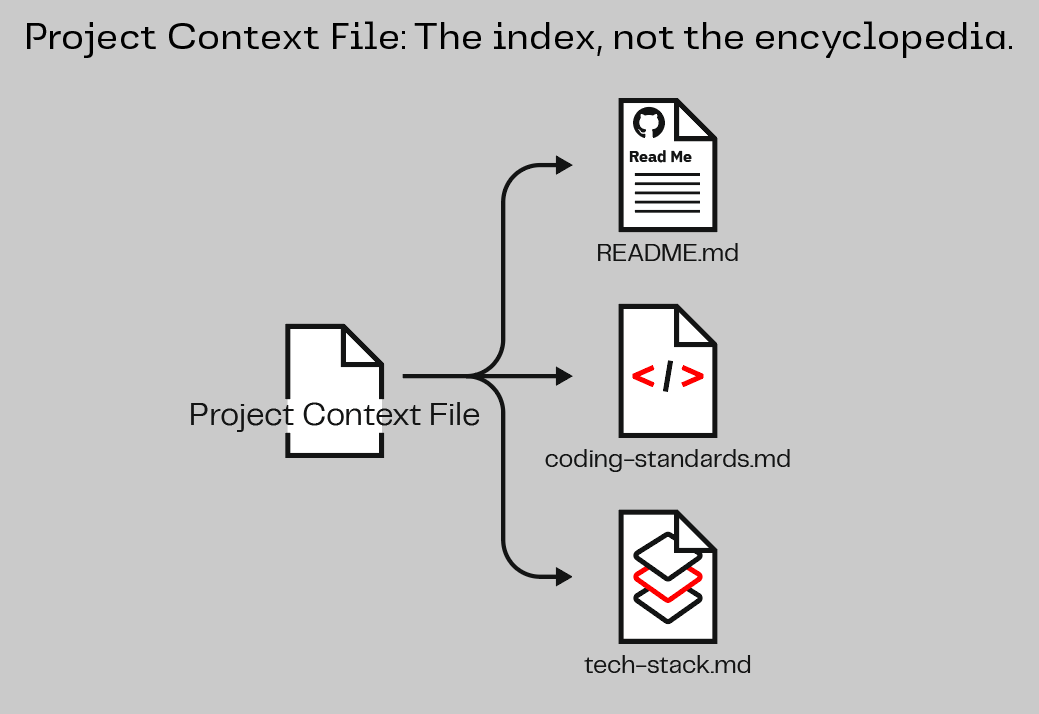
What goes in:
- What the project does and what its main parts are (one paragraph)
- Key technology choices and conventions
- What data sources the project uses and where the data comes from
- Domain rules that should always be followed (e.g., "always match the naming conventions from the official data source")
- Rules for how the AI assistant should behave (e.g., "push back when I don't provide clear acceptance criteria")
- Where to find important documentation
What doesn't go in:
- Entire codebases or documentation dumps
- Information that changes frequently (point to the source instead)
- Step-by-step procedures; keep it at the "need to know" level
Remember the oxygen tank: everything in your context file uses up space in every conversation. Keep it focused. A concise file that points to detailed docs beats a bloated file that crowds out the actual work.
Bootstrap Your Project
Mob Session | ~4 minutes total | One person drives, everyone else navigates.
Rotate the driver. Pick someone who hasn't been at the keyboard recently.
Your team is about to build a Dark Vessel Risk Assessment Tool. Before you write your first story, give your AI coding assistant its onboarding document.
Ask your AI coding assistant:
Read through this project and create a project context file for it.

The file should describe what's already set up and include a section
for our project: a Dark Vessel Risk Assessment Tool for maritime
intelligence analysts.

The tool helps analysts at the Office of Naval Intelligence (ONI)
detect vessels that may be evading sanctions by:
- Cross-referencing AIS vessel traffic data against OFAC sanctions lists
- Checking vessel behavior history (AIS gap events, name/flag changes)
- Correlating satellite imagery against transponder positions
- Scoring and prioritizing vessels by risk level

The data directory contains pre-seeded files covering 200+ vessels
across several maritime regions over a multi-day window.

Keep it short and point to documentation rather than duplicating it.
In Your AI Assistant
Your AI assistant likely created a file called AGENTS.md or updated your project's README.md. Either way, your AI coding assistant reads this file automatically at the start of every conversation.
Your AI assistant likely created a file called CLAUDE.md or updated your project's README.md. Either way, your AI coding assistant reads this file automatically at the start of every conversation.
Your AI assistant likely created a file called ANTIGRAVITY.md or updated your project's README.md. Either way, your AI coding assistant reads this file automatically at the start of every conversation. You can verify what was loaded with /memory show.
Your AI assistant likely created a file called AGENTS.md or updated your project's README.md. Either way, your AI coding assistant reads this file automatically at the start of every conversation. Your AGENTS.md can reference other documentation files using standard markdown links for the AI to consult on demand.
After it's created, save your progress:
Save my progress and sync it.
Why this matters: When you run Save & Sync, your AI assistant uses Git (a version control tool that records every change: who changed what, when, and why) and then pushes your work to GitLab, a safe location outside of your workspace. Your workspace is a cloud computer, and like any computer, things can occasionally go wrong. If they do and you haven't synced, your recent work could be lost. Once you've synced, your work is safely stored even if your workspace restarts. Build this habit: every time you finish something that works, tell your AI assistant to run Save & Sync.
Save & Sync pushes your work to the main branch. Every push to main triggers the deployment pipeline, which runs automated checks (tests, security scans) before anything goes live. If the pipeline passes, your application deploys automatically. You'll learn more about how this works in Lesson 3.
Discuss: How is this different from just telling AI about your project at the start of every conversation? What happens as your project evolves? Does this file need to change too?
Key Insight
The best delegation starts before the conversation. A project context file means AI shows up already knowing your project, your conventions, and your constraints. Instead of re-explaining every session, you start with: "Here's what I need built next." That's the shift from using AI to delegating to it.
Working as a Team
Your team shares one codebase. Think about writing a shared document, like a Google Doc, with a colleague. If you have a good outline with clear sections, it's easy to divide and conquer: you take Section A, your teammate takes Section B, and the work comes together cleanly. But if you're both trying to write the same sentence in the same section at the same time, you're going to step on each other's toes and someone's edits get lost. Code works the same way.
Because you're building by describing what you want rather than writing code line by line, it may not always be obvious when you and a teammate are working on the same thing underneath. A safe approach: think in terms of screens, capabilities, and features. "You take the search page, I'll take the dashboard" is safe. "We'll both work on the dashboard" may or may not be, depending on how separate the pieces are. If you're unsure whether two features are safe to build at the same time, ask your AI assistant: "Can these two features be built in parallel without touching the same parts of the application?"
When the boundaries aren't clear yet, mob first: one screen, one driver, everyone navigates. You can always split up once your application has clearly separate parts to work on. Starting together and splitting later is painless. Merging colliding work after the fact is not.